
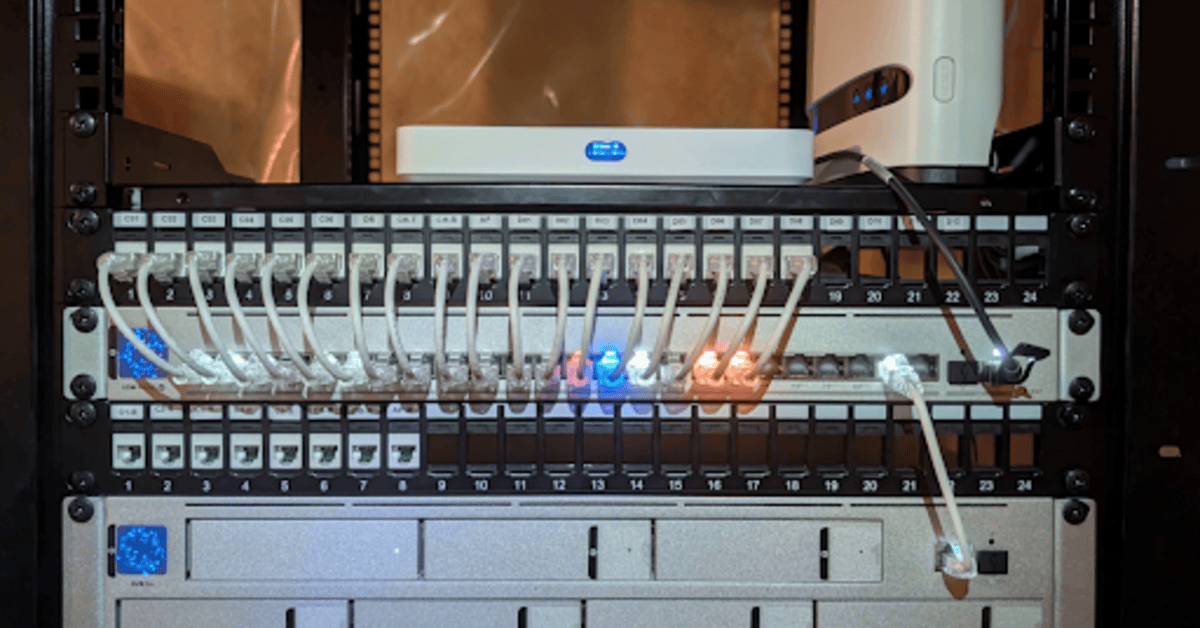
Strong wireless speed feels like something every home or workspace should have already. Yet many people still deal with slow pages, lag during calls, weak coverage, and strange dropouts. It creates real frustration, especially for teams that depend on stable online tools. A key part of the issue comes from the silent backbone behind every wireless signal. Ethernet support plays a greater role than most expect, and many people across Canada now ask if stronger structure can push Wi Fi speed further. One phrase now shows up across more tech chats: Ethernet cabling installation in Richmond Hill.
Clever Cabling meets clients who ask the same question again and again. They want strong Wi Fi but feel unsure about how wired structure helps. Our team explains it often, because the story shapes most modern setups. Wireless devices cannot show their full power without stable wired support under them. Once people see that link, they view wireless speed from a fresh angle.
The short answer is yes. Strong wired structure can boost overall Wi Fi speed. Yet the longer answer carries more depth, and that depth matters for real results.
Most users see only the radio waves around them. They picture routers and phones and feel the whole system should float through the air. The unseen chain under every wireless device tells a different story. Every router needs a strong wired path behind it. That path handles heavy traffic, secures steady flow, and prevents bottlenecks.
Routers do not produce speed on their own. They only distribute what reaches them. Weak structure creates slow spread, no matter how new or costly the router. A fresh mesh system cannot solve a weak backbone either. Wireless strength always traces back to the cable path that carries traffic through walls, ceilings, racks, and server gear.
Many people never think about it until slow spots appear across rooms or floors. A router tries to broadcast steady Wi Fi, yet the path behind it cannot carry the load. That is where professional wired support changes the picture.
Wi-Fi problems rarely come from one source. Traffic bottlenecks appear from poor router placement, thick walls, crowded radio space, and outdated gear. Yet the greatest slowdown still comes from the backbone behind the wireless device something many homes and offices discover only after investing in proper Ethernet cabling installation in Richmond Hill to support faster, more reliable connections.
Clients share similar stories:
All those issues look like wireless problems. Yet most trace back to weak cable grade, old switches, poor patching, or long runs that never followed proper limits.
Once our team maps the backbone, traffic patterns become clear. We can then explain where the drop happens and why a new wired layout sharpens Wi Fi reach.
Cable grade sets the possible throughput across the whole path. Older grades hit hard limits long before modern wireless devices reach their full potential. People often assume Wi Fi should be faster than wires. The truth runs the opposite way. Strong wired paths move data faster than wireless signals, and that speed allows wireless gear to show its full range.
Newer cable grades support far higher load and offer lower delay across floors. They also handle modern access points that draw more power and process heavier wireless traffic. Professional teams choose cable grade based on future needs, not just current speed. A layout built for tomorrow supports far more wireless devices, cloud use, and video calls.
Once the cable grade improves, routers stop starving. They then share strong speed across more rooms without strain.
Cable grade sets speed, yet layout shapes the reach. Many structures use paths that twist around corners, cross power lines, or run through tight spaces with high noise. Those paths hurt traffic flow before it reaches the router.
Clever Cabling designs paths with clear routes, proper spacing, secure attachments, and short travel time. Our team avoids bends that restrict performance and reduces pressure across long runs. Each access point receives a straight and strong link. That approach cuts signal loss before it happens.
The result feels simple from the user side. Wireless devices show faster load speed, smoother calls, and steadier coverage across rooms. Yet the real magic comes from structure that does not fight itself.
Switches act as traffic hubs. Weak units slow traffic across every path. Cheap switches often look fine at first yet hit trouble once many devices share the same route.
Professional teams use advanced switches that shape traffic, secure clean handoffs, and support large loads. They also use PoE features to power access points directly, which reduces clutter and improves performance.
A strong switch ensures traffic reaches every access point without delay. Wireless devices then show far higher speed and smoother behaviour.
Many people upgrade routers yet never test wired structure. That makes it tough to confirm the root cause of slow Wi Fi. Professional testing tools measure noise, load, cable health, and signal loss across paths. Our team uses those tools to show clients a clear picture.
Testing Reveals:
Once those weak spots appear on a report, the next steps become clear. Clients see why wireless speed crashes under load. They also see how strong structure fixes the pain.
Clever Cabling treats each site as a fresh case. No two homes or offices share the same walls, layout, gear, or traffic pattern. For every Ethernet cabling installation in Richmond Hill, our team studies how people use their space, how many devices run daily, and how fast growth will come.
We map floors, choose locations for access points, and create strong cable paths. We also prepare for upgrades that may appear later. Clients gain a layout that lasts far longer than a quick fix.
Our goal stays simple. Strong structure leads to strong wireless. Once the backbone holds steady, Wi Fi speed rises without strain.
Can strong wired structure boost wireless speed?
Yes, strong wired paths allow routers and access points to push far more speed across rooms. Weak cables or old switches slow traffic long before it reaches any wireless device.
Do more access points help with slow Wi Fi?
Yes, if each access point connects through a strong wired link. Access points share coverage across rooms and prevent one device from carrying too much load.
Does cable grade affect Wi Fi performance?
Yes, newer cable grades handle far more load. Wireless gear cannot perform well if traffic arrives through weak or outdated cable.
Does router placement still matter?
Yes. Routers need clear space around them. Professional teams choose spots with low noise and stable wired support.