
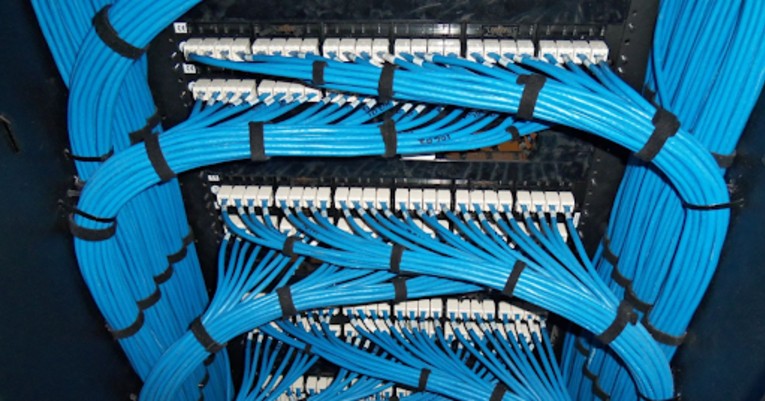
A glitchy office network often starts behind your walls. Poor low-voltage cabling design can weaken even the best hardware. You might buy fast servers and new computers, but they will struggle with a weak backbone. Your data needs a clear and organized path. It should move through your office without interference or bottlenecks. If your wiring looks like tangled “spaghetti” in the server room, problems will follow. Expect frequent drops and slow speeds. A professional network cabling installation services provider can fix this. They make sure your infrastructure supports your growth instead of slowing you down.
At Clever Cabling, we see these problems every day across the GTA. Many business owners believe any wire will work. As long as it plugs in, they think it is fine. This mistake often leads to lost productivity and costly repairs. We build systems that last. Our designs handle heavy data loads for modern Canadian businesses. A solid plan reduces electromagnetic interference and heat build up. Both can damage your equipment. Your infrastructure should work so well that you never have to think about it.
Skipping the design phase leads to “crosstalk.” This means your wires interfere with each other. When data cables sit close to power lines or fluorescent lights, electrical noise increases. This noise disrupts your signal. You may notice slow internet speeds. This can happen even if you pay for a high-speed plan. Proper low voltage cabling in Richmond Hill keeps different wires separated and shielded. Without this, data packets get lost. Your system must resend them, which slows everything down.
Poor airflow is another hidden issue, as tight cable bundles block cooling fans in your racks. This causes switches and routers to overheat. Overheating leads to failures and random reboots. A clean rack is not just about looks. It helps keep your equipment cool. If your setup is messy, your devices may not last as long.
Read More: Benefits of Hiring a Certified Network Cabling Contractor
Every minute your team waits for a file to upload costs money. Slow networks frustrate employees and make your business look unprofessional during video calls. You may think you are saving money by using a general handyman. However, a network cabling contractor has tools to test every connection. We use scanners to check signal strength and interference and confirm the job is done right.
Maintenance becomes difficult without a clear map of your low-voltage system. Imagine adding a new printer but not knowing which port connects to which desk. You may end up paying for hours of work just to trace one line. We provide clear documentation so future changes are quick and simple. This keeps maintenance costs low and saves time.
Read More: What are the Different Types of Network Cabling Systems?
If your connections are poorly done, your network will have errors. This means the copper is not making a clean connection with the plug. You may see random issues where a computer works in the morning but disconnects later. Heat can cause a weak connection to fail. We use professional tools to make sure every connection is strong and stable.
Wireless access points also need strong cables to work well. Many people think Wi-Fi removes the need for cables. In reality, Wi-Fi depends on the cable connected to the access point. If that cable is poor quality or damaged, your wireless network will be slow. We provide complete network installation services that cover both cables and hardware. This ensures there are no weak points.
Read More: The Secret to Faster Internet: How Network Cabling Can Help
Reliable network installation services start with the wires you can’t see. If your office is struggling with slow speeds or messy server rooms, it is time for a change. At Clever Cabling, we are dedicated to strengthening the foundations of local businesses with our network cabling installation services. We don’t just pull wires; we design systems that help you work better. Let us help you get rid of the network headaches for good.
What is the most popular cable used in networks nowadays?
Most businesses use Cat6 cabling. It supports speeds up to 10 Gbps over short distances. It also provides enough bandwidth for standard office tasks. It offers a good balance between cost and performance.
What’s the fastest network cable?
Cat8 is the fastest copper cable, reaching speeds of 40 Gbps. However, fiber optic cabling is best for speed and long distances. Fiber uses light instead of electricity, allowing very high bandwidth with no interference.
Is a network cable faster than WiFi?
Yes, Ethernet is usually faster and more stable than WiFi. Cables provide a direct path for data without interference from walls or devices. For large file transfers or video calls, a wired connection is more reliable.
What is the lifespan of an Ethernet cable?
A high-quality Ethernet cable can last 15 to 20 years if installed correctly. Heat, moisture, or bending can shorten its life. Proper low-voltage design helps protect the cables.
Can I plug an Ethernet cable into a WiFi router?
Yes, you can. Most routers have LAN ports for this purpose. Plugging in important devices gives better speed and a stable connection.
How often should you replace your router?
You should replace your office router every three to five years. Technology changes quickly, and older hardware may not support new speeds or security features.