
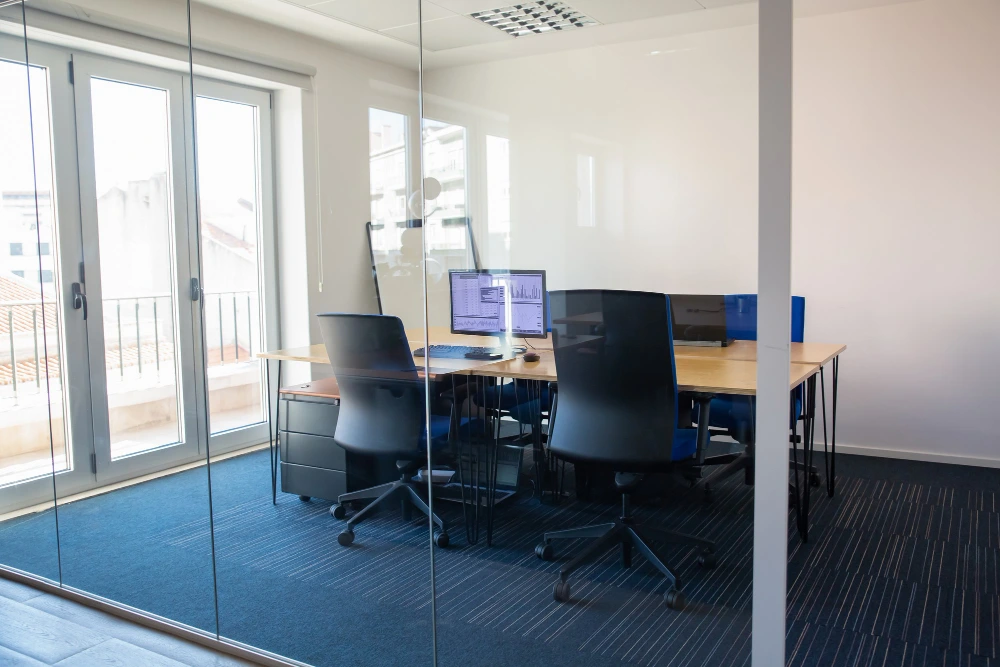
If the first few minutes of every meeting are spent plugging in laptops, searching for cables, or trying to get the camera and audio working, the meeting room may be the problem. Microsoft Teams Rooms in Richmond Hill brings the main meeting tools together, including the display, camera, microphones, speakers, calendar, and Teams controls, so your team can walk in, choose the meeting, and get started.
At Clever Cabling, we provide Teams Rooms installation in Richmond Hill and set up the room around how your team actually works, making everyday meetings easier to start and much less frustrating.
A meeting can be scheduled for 10:00 a.m. and still start at 10:07. That lost time can add up quickly across a busy workday. The problem may come from several small issues. People might need to connect laptops manually. The room display may use a different input. A camera may not be selected correctly. Audio can create another delay.
Someone might join the call from their laptop while the room speaker is also connected. That can create echoes or confusion. A Teams Rooms setup gives the room a dedicated meeting experience. The touch console can show scheduled meetings and provide a simple join option.
Microsoft Teams Rooms is designed specifically for meeting spaces. It is not simply a laptop running Microsoft Teams. The room can have dedicated cameras, microphones, speakers, displays, and a touch console. Those devices work together as part of the room system. That can make the meeting room feel much more straightforward.
People can see the room’s scheduled meetings. They can select a meeting and join it from the console. Content sharing can also happen through the room system. That means employees spend less time figuring out which device needs to connect first.
Yes, especially for teams that regularly use Microsoft Teams. Microsoft lists one-touch join as a core Teams Rooms feature. Users can select a scheduled meeting from the room console and join it. That sounds like a small change. It can make a noticeable difference when a room is used several times each day.
People do not need to start with a laptop and work through several connection steps. The room already has its own meeting setup. The goal is simple. Walk into the room, select the meeting, and get started.
Cables are not always the biggest problem. A pile of cables can still make a meeting room feel harder to use. Someone needs to know which cable connects to the display. Another cable may connect the camera. A third one may be needed for audio. People can also unplug something accidentally.
Professional Teams Rooms installation in Richmond Hill gives us a chance to plan those connections properly. We can consider the room layout, equipment locations, power needs, and cabling before everything gets installed. Microsoft also recommends checking power, networking, furniture, and physical installation needs before deployment.
Hybrid meetings can be awkward when the room equipment is not set up properly. Someone sitting at the far end of the table may be hard to hear. Remote attendees may struggle to see everyone. A laptop camera may only show part of the room. Teams Rooms can use dedicated cameras, microphones, speakers, and displays for the meeting space.
The right setup depends on the room. A small meeting room may need a compact system. A larger boardroom may need more microphones, cameras, or displays. We look at those differences before recommending equipment.
A Teams room does not need every piece of AV equipment available. The room needs equipment that suits its size, layout, and meeting style. Some common pieces include:
Microsoft supports Teams Rooms on both Windows and Android. Certified devices are also tested for audio, video, user experience, and compatibility.
Late meetings do not always need another calendar reminder. Sometimes, the room needs a better setup. A meeting room should make it easy to join calls, share content, hear people, and see remote participants. That is where a properly planned Teams Rooms system can help.
At Clever Cabling, we look at how your meeting room is actually used. We consider its size, furniture, cabling, screens, audio, cameras, and network needs. Our goal is not to fill a room with equipment. Our goal is to make the technology easier for people to use.
A few practical questions can help you decide what your room needs:
Those answers can give us a useful starting point.
Your meeting room should not need a troubleshooting session before every call. We can help plan the room around the way your team actually meets. Our work can include room equipment, displays, cameras, microphones, speakers, cabling, configuration, and testing.
Clever Cabling can also help businesses planning Teams Rooms installation in Richmond Hill with the room’s practical requirements. The aim is simple. People should walk into the room, start the meeting, and focus on the conversation. That is a much better use of those first five minutes.
Get Professional Camera Installation in Canada
Why Do My Meetings Always Start Late, Even With Good Equipment?
Good equipment can still create delays if each device works separately. Microsoft Teams Rooms brings key meeting functions together. Users can join scheduled meetings from the room console with one touch, reducing manual setup before meetings begin.
What Features Help a Conference Room Join Meetings Faster?
One-touch join is one of the main features. The room console can show scheduled meetings and let users select Join. Proximity join and QR code join can also support faster meeting access, depending on the room setup.
Can Microsoft Teams Rooms Work With Our Existing Conference Room Setup?
Existing equipment may work if it meets the required specifications and compatibility needs. Microsoft maintains certified hardware lists for Teams Rooms. We can review your current cameras, displays, microphones, speakers, cabling, and network before recommending replacements.
What Hardware Is Compatible With Microsoft Teams Rooms?
Microsoft Teams Rooms supports certified cameras, microphones, speakers, displays, consoles, and complete room systems. Certified devices are tested for factors such as audio quality, video quality, compatibility, security, and user experience. Specific equipment choices depend on the room size and meeting needs.
How Long Does It Take To Install Microsoft Teams Rooms In An Office?
Installation time depends on the room, equipment, cabling, network setup, and existing infrastructure. Microsoft recommends planning, site checks, configuration, physical installation, and testing. Smaller rooms may require less work, while larger rooms can need more equipment and cabling.